
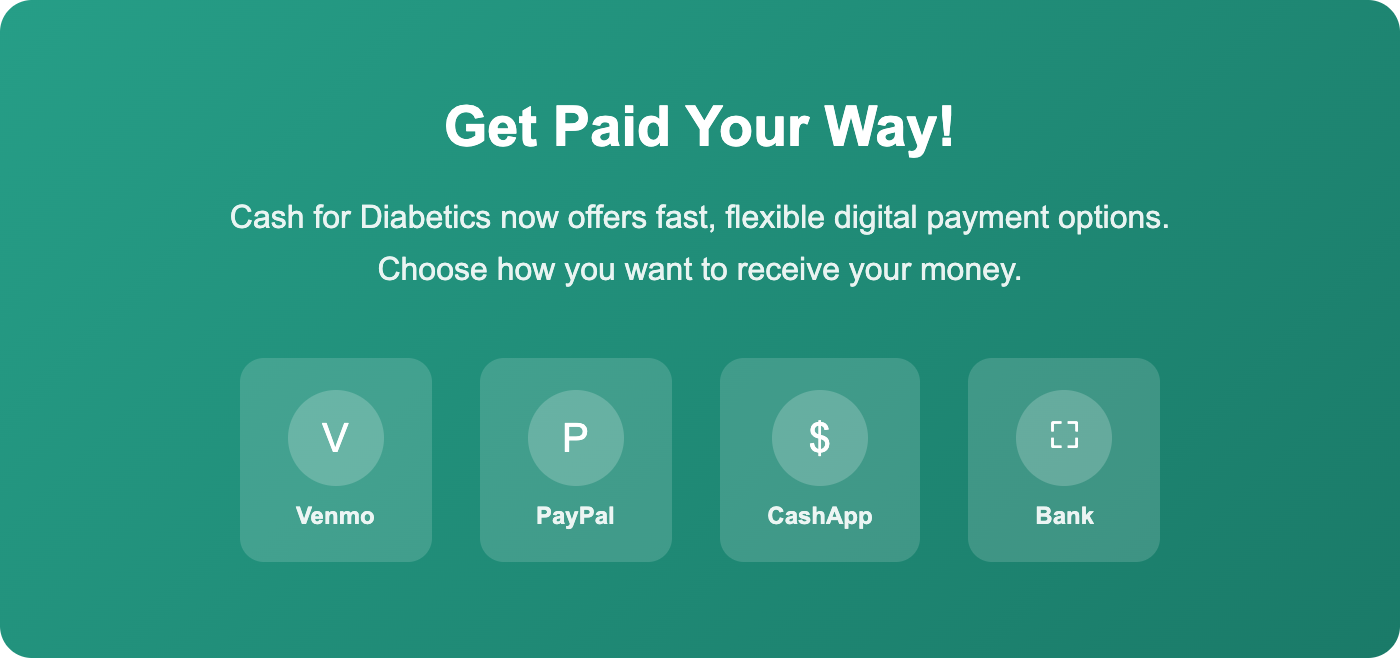
Cash for Diabetics now offers Venmo, PayPal, CashApp, and bank transfer payments
Great news — Cash for Diabetics now offers fast, flexible digital payment options! Instead of waiting for a check in the mail, you can now receive your payment through Venmo, PayPal, CashApp, or direct bank transfer (ACH). Most payments arrive in just 5–10 minutes.
In this guide, we’ll walk you through exactly how to claim your digital payment after we inspect your diabetic supplies. It’s quick, easy, and secure.
What You Need to Know Before Getting Started
When you sell your unused diabetic supplies to Cash for Diabetics, we inspect your items and process your payment. If you selected digital payment as your preferred method, your payout is handled through our secure payment partner, Dots. Dots lets you choose from Venmo, PayPal, CashApp, or bank transfer — whatever works best for you.
Here’s what you’ll need:
- ✓ Access to the email address associated with your Cash for Diabetics account
- ✓ Your mobile phone (for a quick verification code)
- ✓ A Venmo, PayPal, CashApp, or bank account to receive your payment
Step-by-Step: How to Claim Your Payment
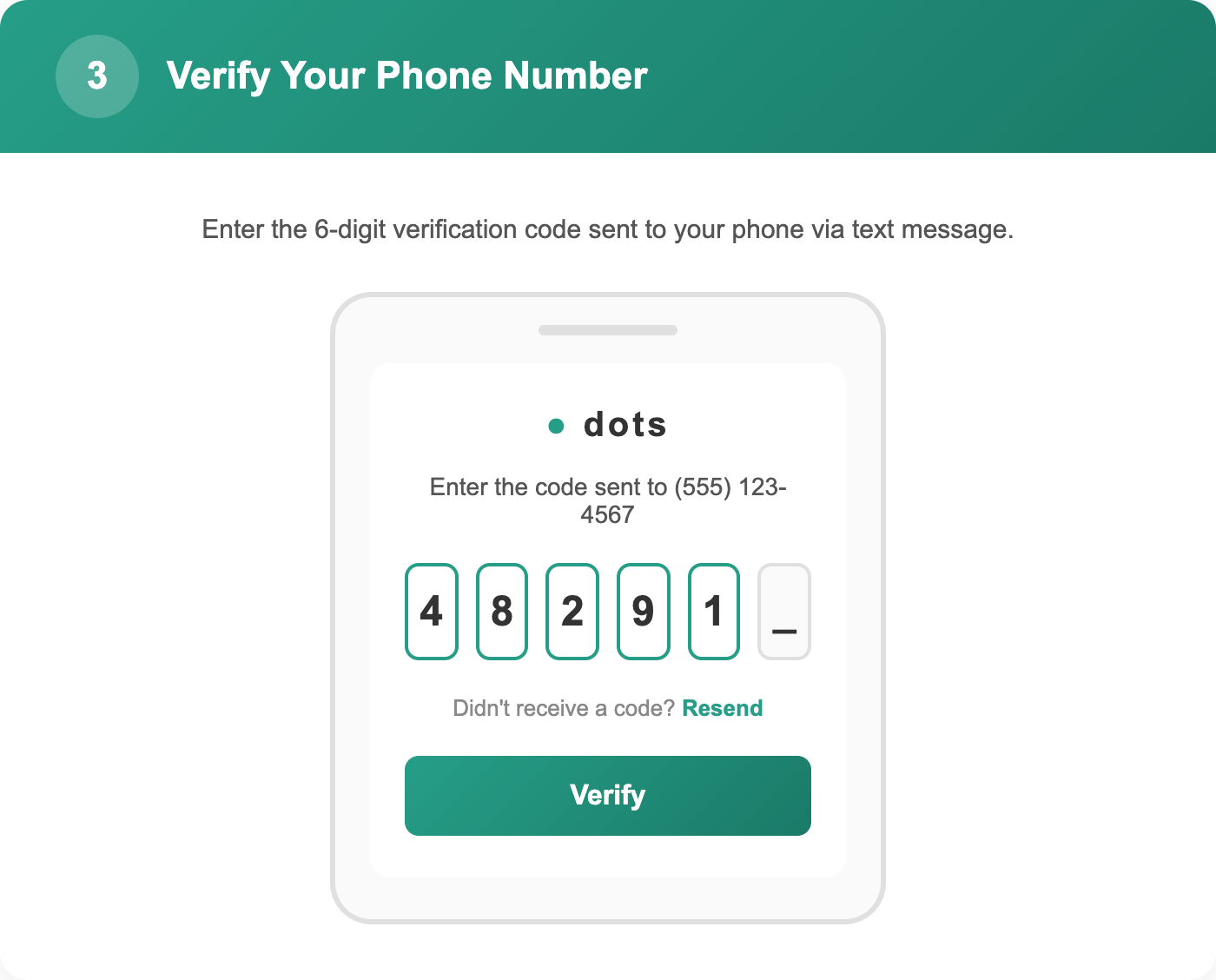
Step 1: Check Your Email and Text Messages
After we receive and inspect your diabetic supply kit, you’ll get two notifications:
- An email from Cash for Diabetics — This email confirms what was in your kit and how much your payout will be.
- An email and text from Dots — This message contains a secure link to claim your payment.
Check your inbox (and spam/junk folder) for both messages. The email from us will come from contact@cashfordiabetics.com.
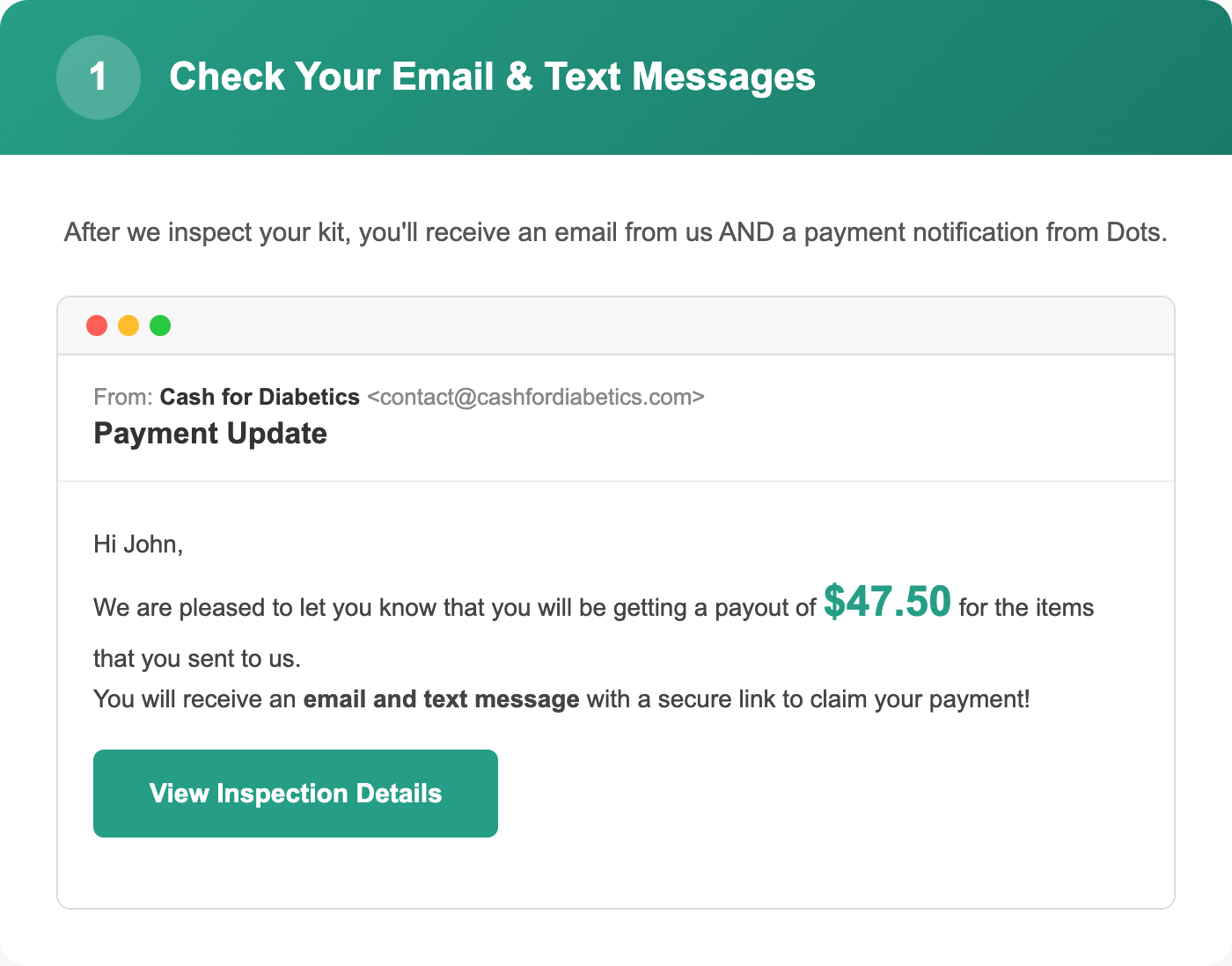
Step 2: Click the Payment Link and Enter Your Phone Number
Open the email or text message from Dots and tap the secure payment link. You’ll be taken to a page that shows your payout amount and asks for your phone number.
Enter the mobile phone number where you’d like to receive a verification code, then tap Submit.
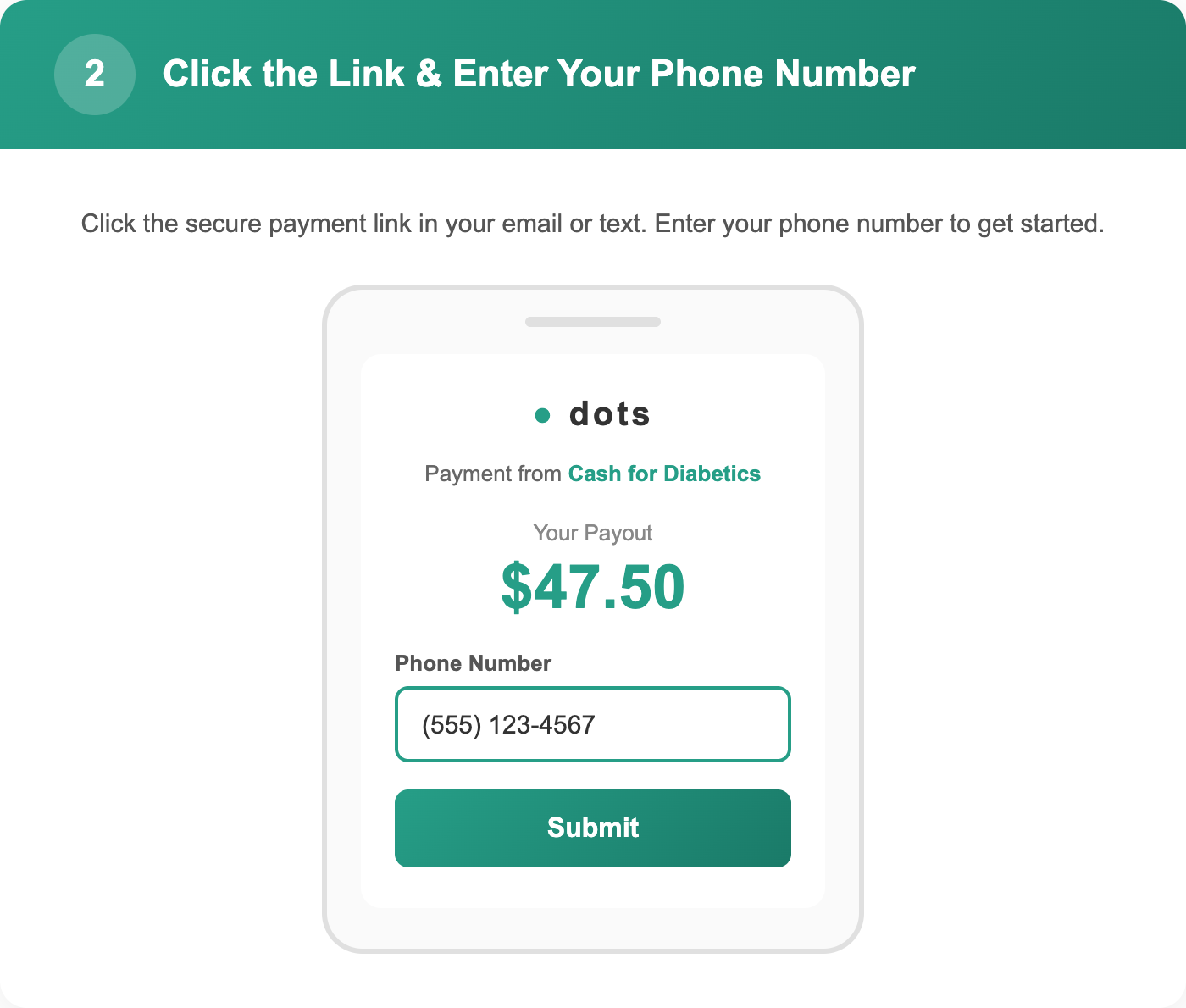
Step 3: Verify Your Phone Number
For your security, Dots will send a 6-digit verification code to your phone via text message. Enter the code on the screen to verify your identity.
Didn’t receive a code? Tap “Resend” to get a new one. Make sure you’re entering the same phone number where you can receive text messages.
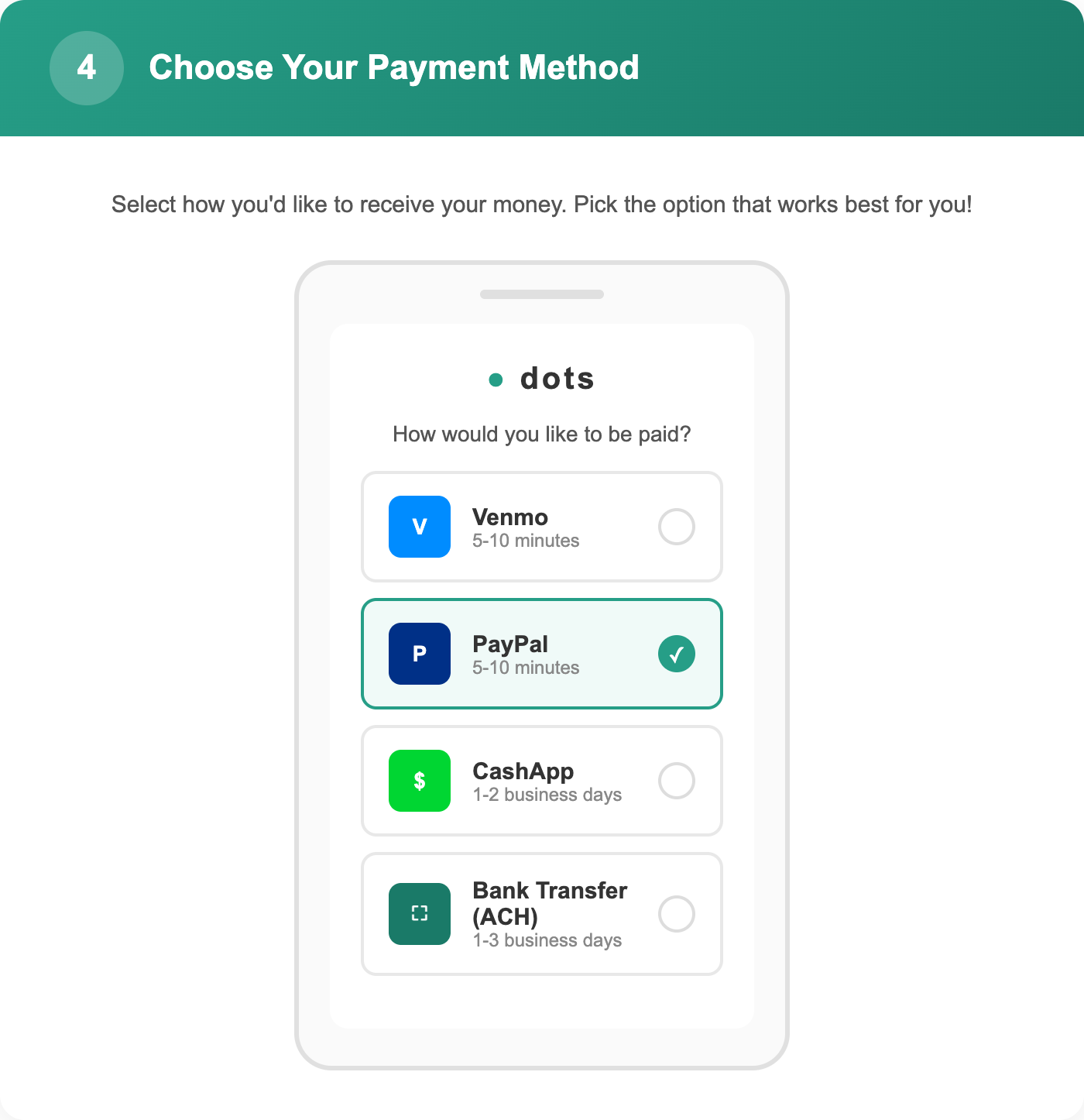
Step 4: Choose Your Payment Method
Now for the fun part — choose how you want to get paid! You’ll see the following options:
- Venmo — Receive your payment in 5–10 minutes
- PayPal — Receive your payment in 5–10 minutes
- CashApp — Receive your payment in 1–2 business days
- Bank Transfer (ACH) — Receive your payment in 1–3 business days (some banks support instant transfers)
Select the option you prefer and follow the prompts to connect your account.
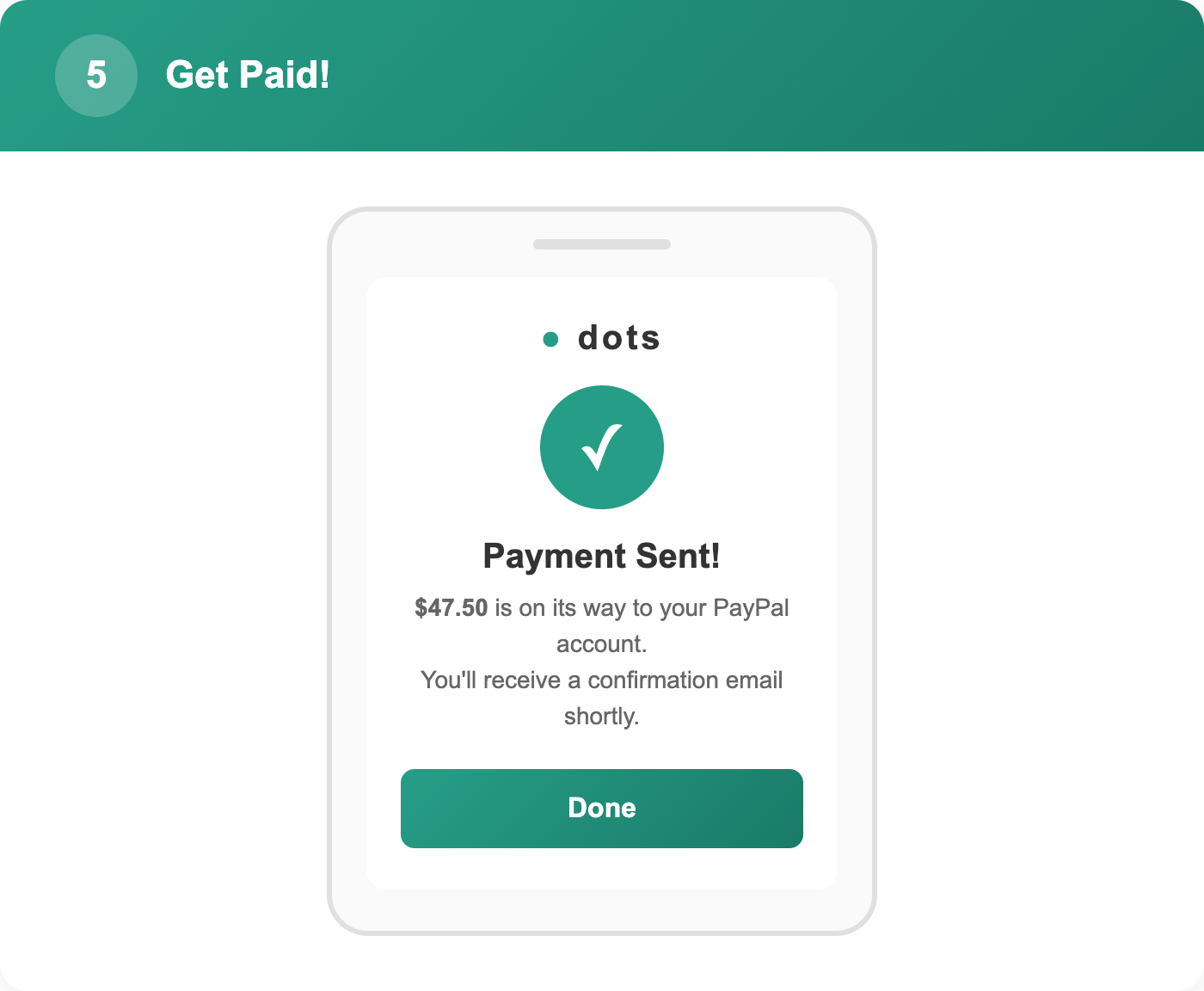
Step 5: Get Paid!
That’s it! Once you select your payment method, your money is on its way. You’ll see a confirmation screen and receive a confirmation email from Dots.
For Venmo and PayPal, most payments arrive within 5–10 minutes. CashApp and bank transfers may take 1–3 business days depending on your financial institution.
Digital Payment Processing Times
Here’s a quick reference for how long each payment method typically takes:
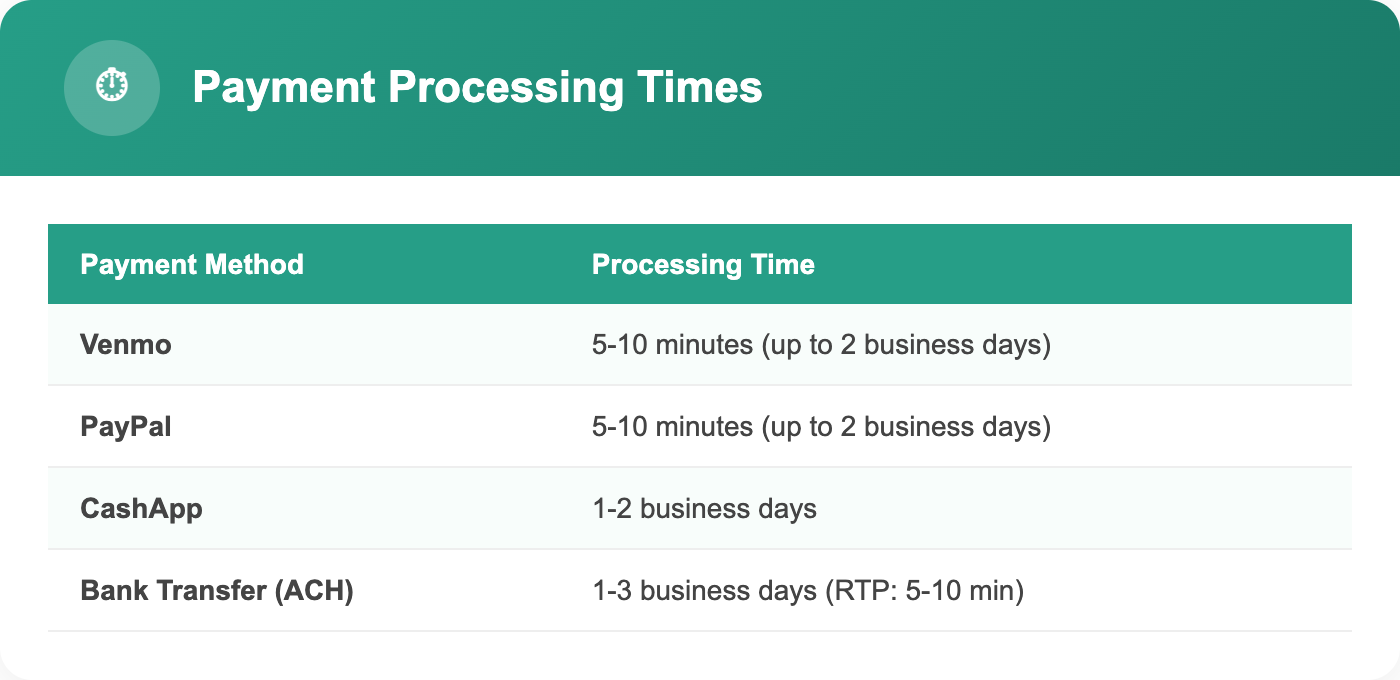
Note: Processing times may vary depending on your bank or payment provider. Venmo and PayPal payments are typically the fastest option.
Frequently Asked Questions About Digital Payments
Is this payment link safe?
Yes! Dots is a secure, trusted payment platform used by thousands of businesses. Your financial information is encrypted and never shared with Cash for Diabetics. The payment link is unique to you and expires after a set period for added security.
What if I don’t see the email from Dots?
Check your spam or junk folder first. The email will come from Dots (not Cash for Diabetics). You’ll also receive a text message with the same payment link. If you still can’t find it, contact us at contact@cashfordiabetics.com and we’ll resend it.
Can I change my payment method after selecting one?
Once a payment is sent to your chosen method, it cannot be changed. However, if you haven’t claimed your payment yet, you can select a different option when you open the payment link.
What if my payment link expired?
Payment links expire after 30 days. If your link has expired, simply contact our customer service team at contact@cashfordiabetics.com or call us, and we’ll issue a new payment link right away.
Can I still receive a check instead?
Absolutely! If you prefer to receive a physical check, just let us know when you request your free shipping kit or contact our customer service team. We’re happy to accommodate your preference.
I selected digital payment but want a check instead. What do I do?
No problem! Contact our customer service team before your kit is inspected and we can update your payment preference. If your kit has already been inspected and a digital payment link was sent, you can simply ignore the link and we’ll issue a check instead — just reach out and let us know.
Ready to Sell Your Unused Diabetic Supplies?
Getting paid for your unused diabetic supplies has never been easier or faster. With our new digital payment options, you can have money in your Venmo, PayPal, or CashApp account in as little as 5 minutes after we inspect your items.
Request your free shipping kit today at cashfordiabetics.com and choose digital payment to get paid fast!
Have questions? Our friendly customer service team is here to help. Email us at contact@cashfordiabetics.com or call anytime.